Upgrade to Pro
— share decks privately, control downloads, hide ads and more …
Speaker Deck
Features
Speaker Deck
PRO
Sign in
Sign up for free
Search
Search
スプレッドシートのセル結合がつらいので足掻いてみた話
Search
Sponsored
·
Your Podcast. Everywhere. Effortlessly.
Share. Educate. Inspire. Entertain. You do you. We'll handle the rest.
→
rakus frontend
March 26, 2024
0
270
スプレッドシートのセル結合がつらいので足掻いてみた話
rakus frontend
March 26, 2024
Tweet
Share
More Decks by rakus frontend
See All by rakus frontend
新卒FEが1年目に取り組んだこと・学んだこと
rakus_fe
0
51
ErrorBoundaryとSuspenseの導入検討
rakus_fe
1
780
日付をもう少し真面目に勉強中
rakus_fe
0
46
React19 β をざっと見る
rakus_fe
0
330
Reactのパフォーマンス改善例
rakus_fe
0
550
Typescript5.4の新機能
rakus_fe
0
320
非破壊的な配列メソッド
rakus_fe
0
380
ココがすごいぜ!Playwright Component Test
rakus_fe
0
580
Featured
See All Featured
Learning to Love Humans: Emotional Interface Design
aarron
275
41k
DevOps and Value Stream Thinking: Enabling flow, efficiency and business value
helenjbeal
1
110
Exploring the relationship between traditional SERPs and Gen AI search
raygrieselhuber
PRO
2
3.6k
Building the Perfect Custom Keyboard
takai
2
690
Unlocking the hidden potential of vector embeddings in international SEO
frankvandijk
0
170
Become a Pro
speakerdeck
PRO
31
5.8k
How to Align SEO within the Product Triangle To Get Buy-In & Support - #RIMC
aleyda
1
1.4k
Why Mistakes Are the Best Teachers: Turning Failure into a Pathway for Growth
auna
0
57
Connecting the Dots Between Site Speed, User Experience & Your Business [WebExpo 2025]
tammyeverts
11
830
The #1 spot is gone: here's how to win anyway
tamaranovitovic
2
950
Fantastic passwords and where to find them - at NoRuKo
philnash
52
3.6k
Large-scale JavaScript Application Architecture
addyosmani
515
110k
Transcript
スプレッドシートのセル結合がつら いので足掻いてみた話
安易にセル結合してないですか?
やめて下さい
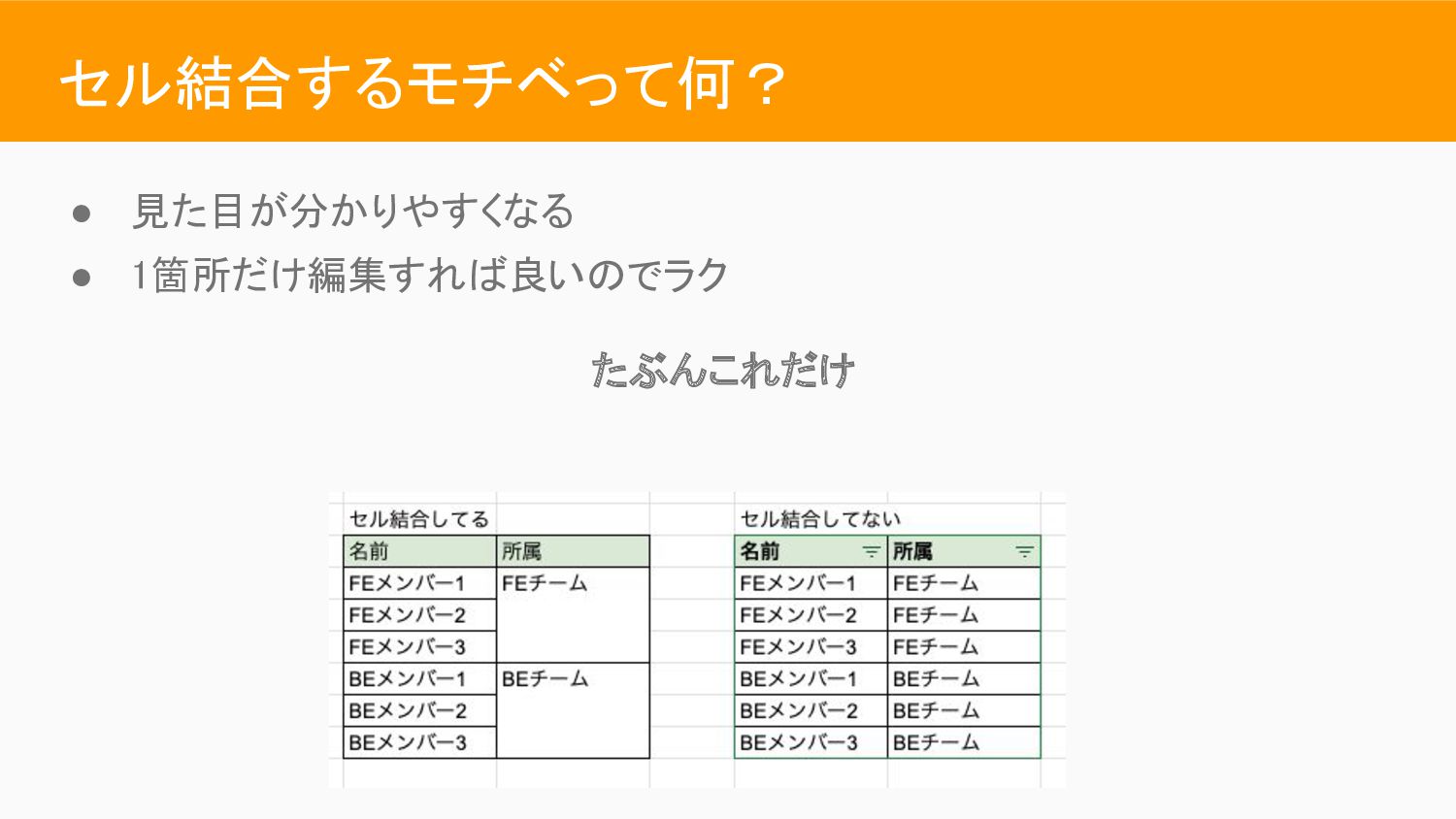
セル結合するモチベって何? • 見た目が分かりやすくなる • 1箇所だけ編集すれば良いのでラク たぶんこれだけ
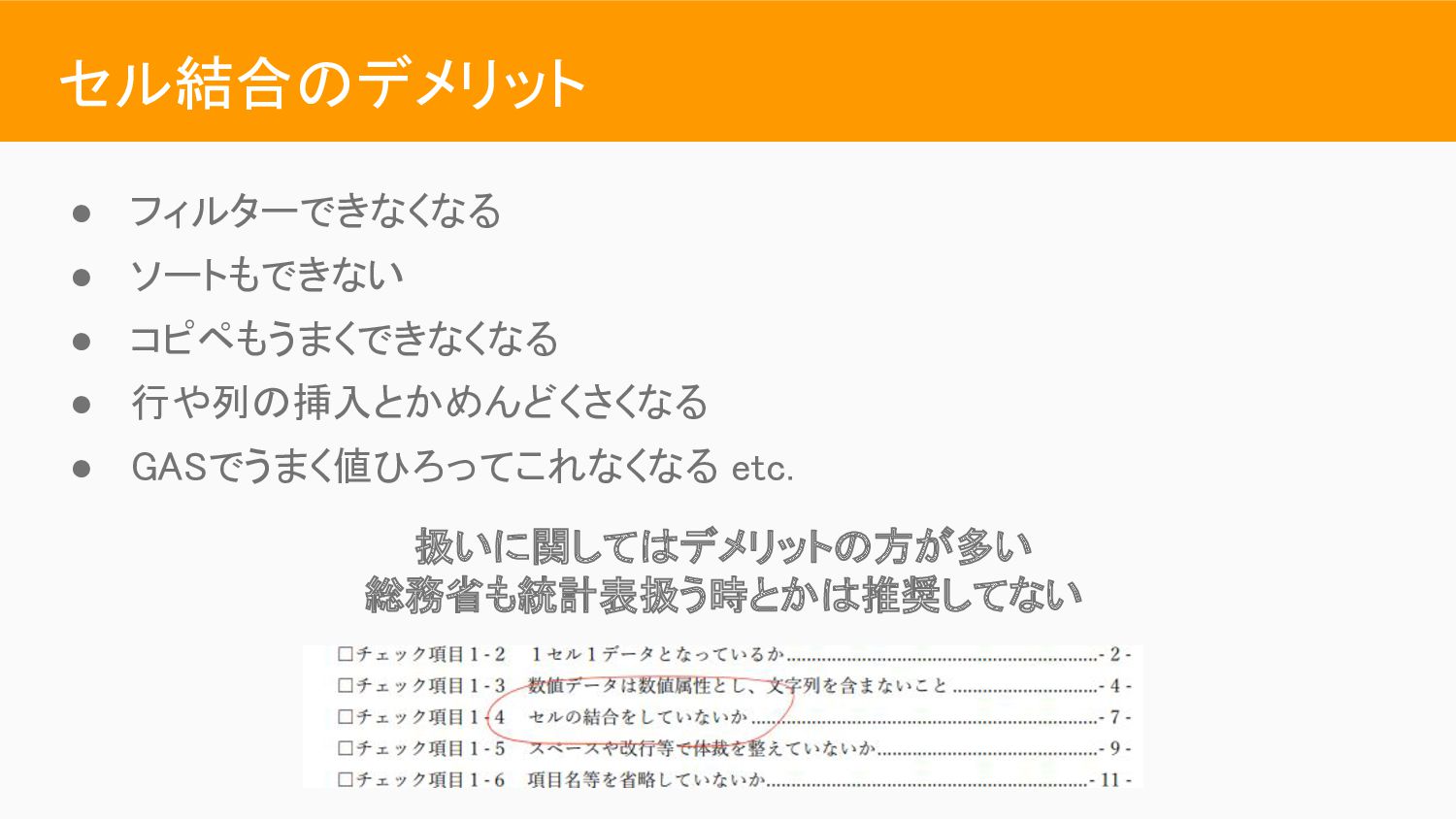
セル結合のデメリット • フィルターできなくなる • ソートもできない • コピペもうまくできなくなる • 行や列の挿入とかめんどくさくなる •
GASでうまく値ひろってこれなくなる etc. 扱いに関してはデメリットの方が多い 総務省も統計表扱う時とかは推奨してない
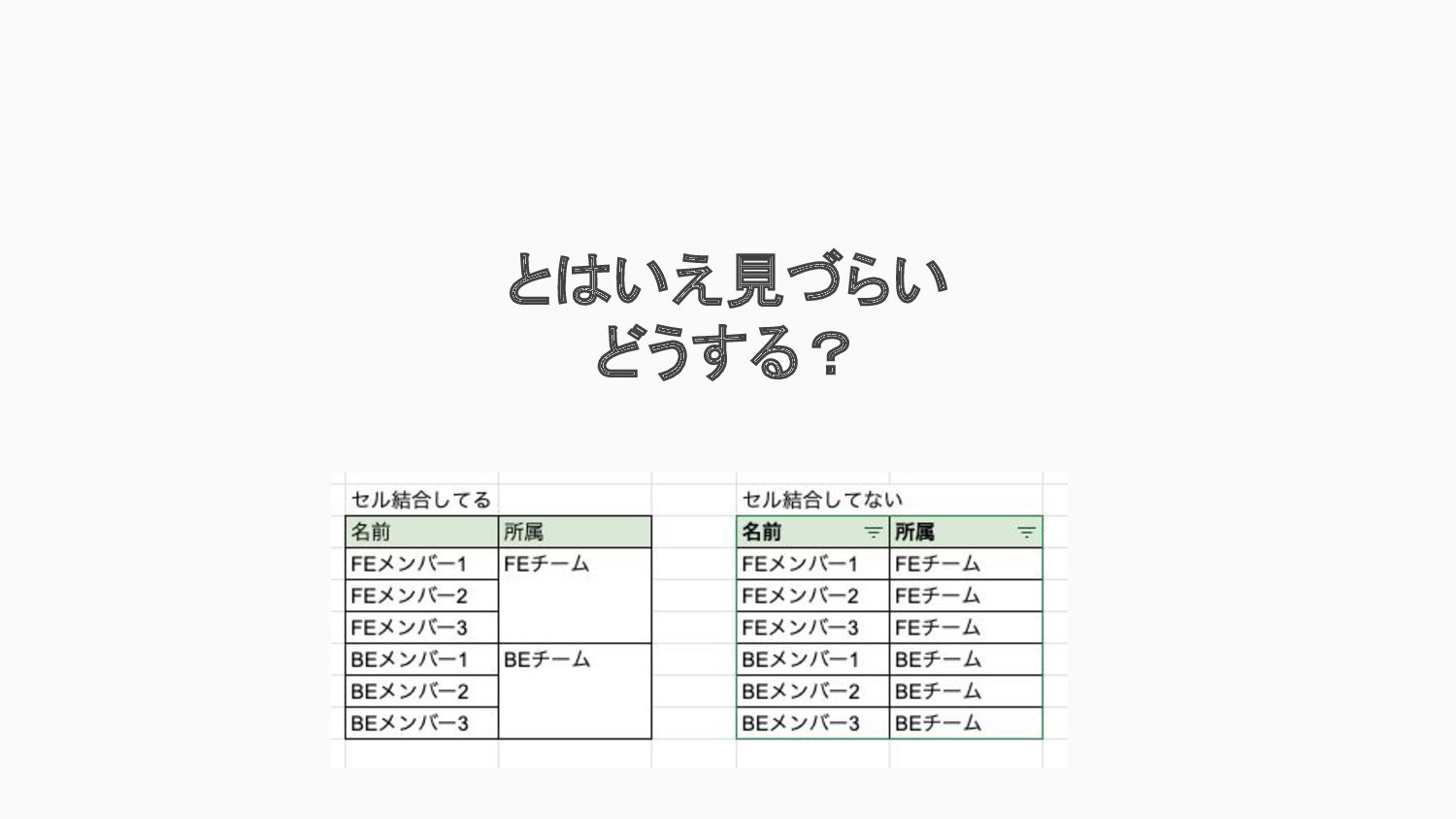
とはいえ見づらい どうする?
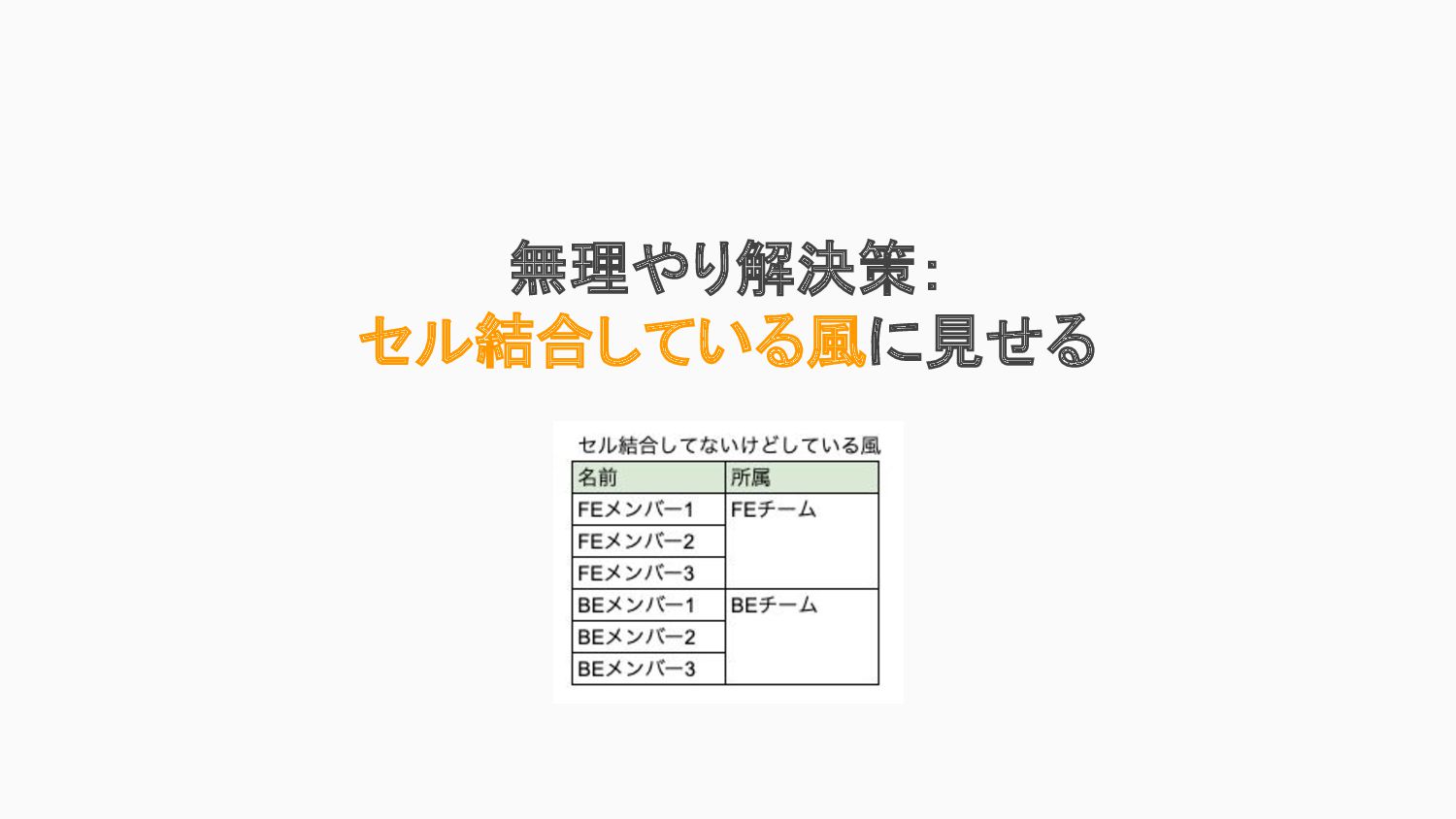
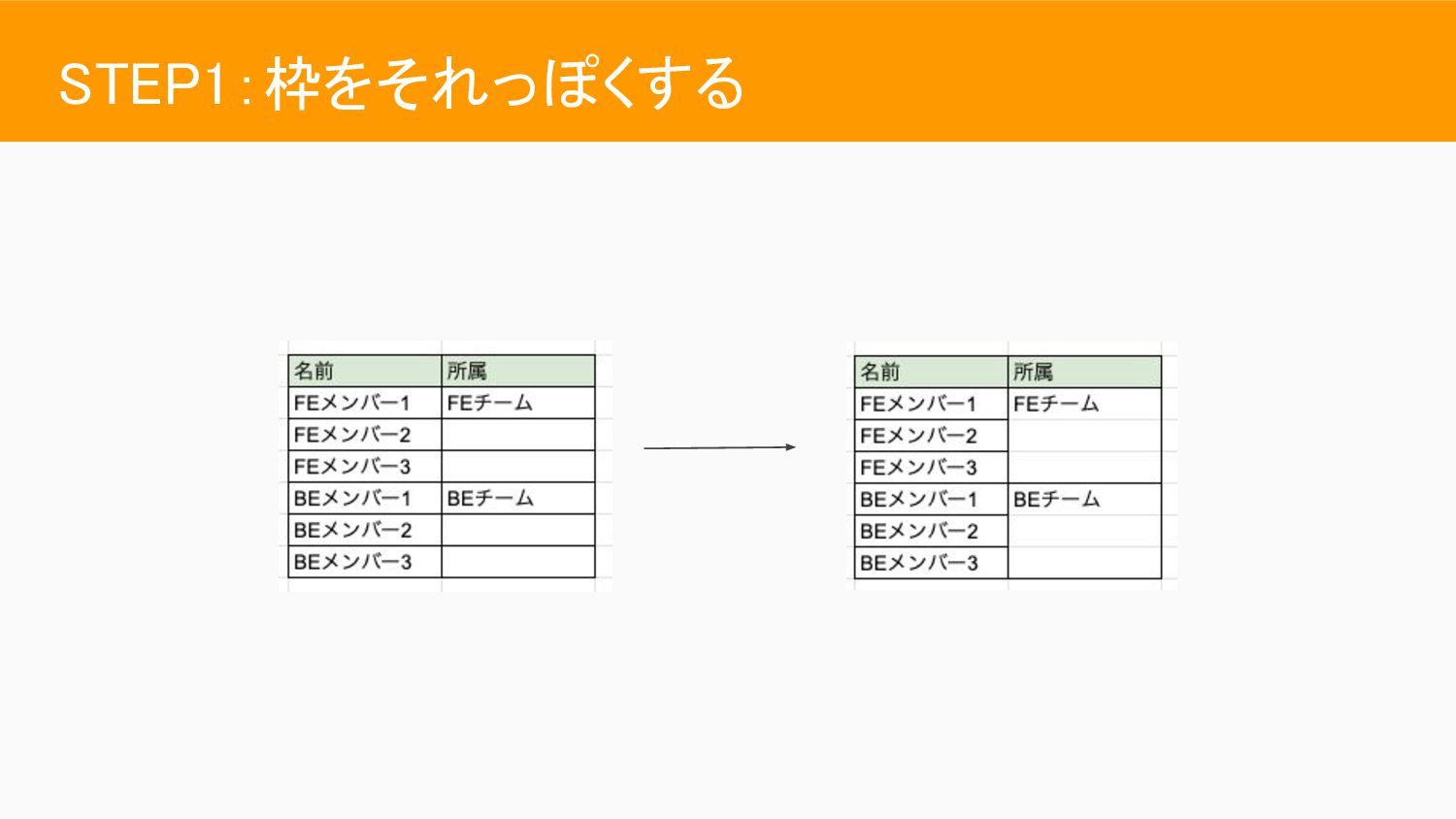
無理やり解決策: セル結合している風に見せる
STEP1:枠をそれっぽくする
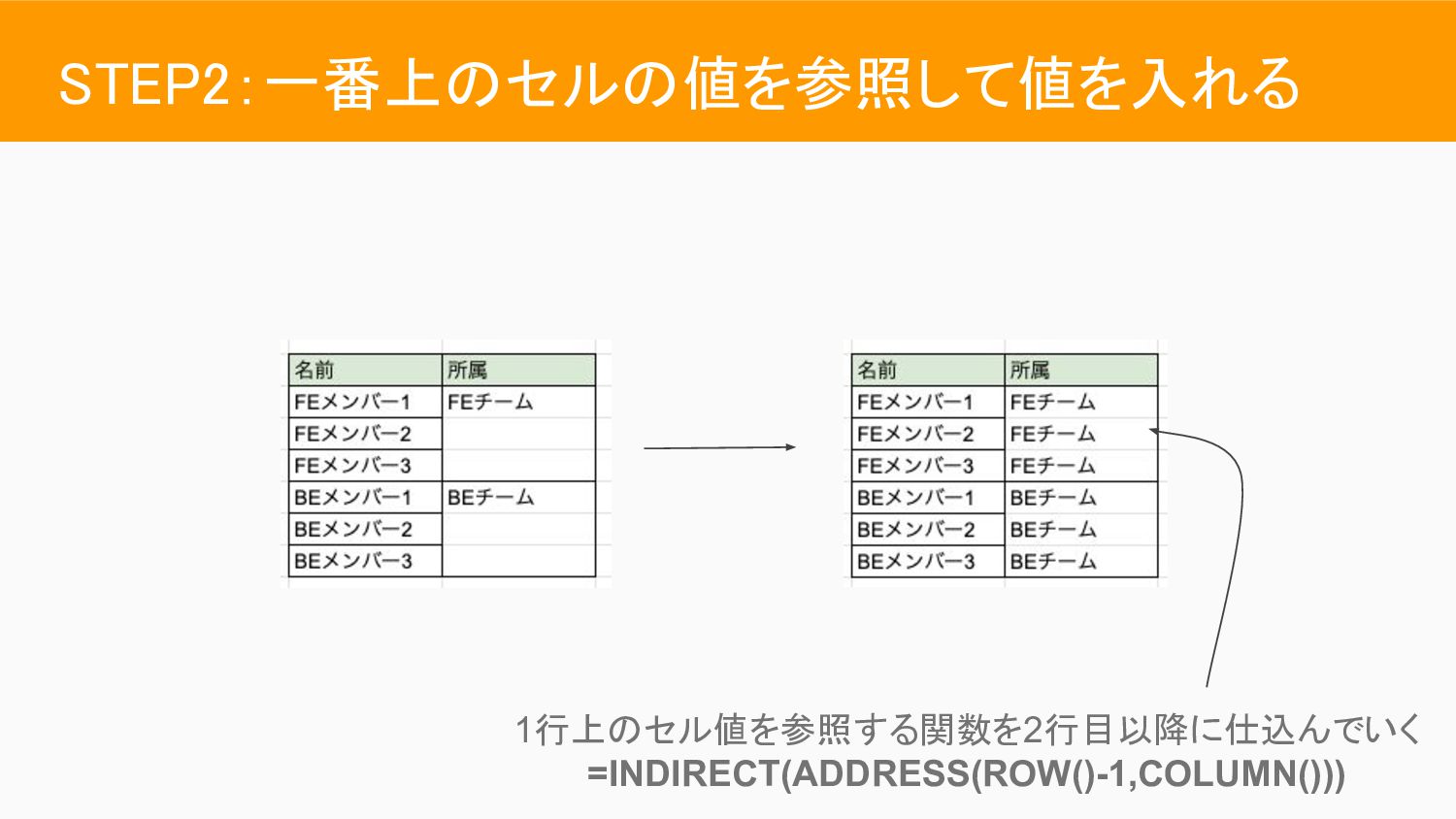
STEP2:一番上のセルの値を参照して値を入れる 1行上のセル値を参照する関数を2行目以降に仕込んでいく =INDIRECT(ADDRESS(ROW()-1,COLUMN()))
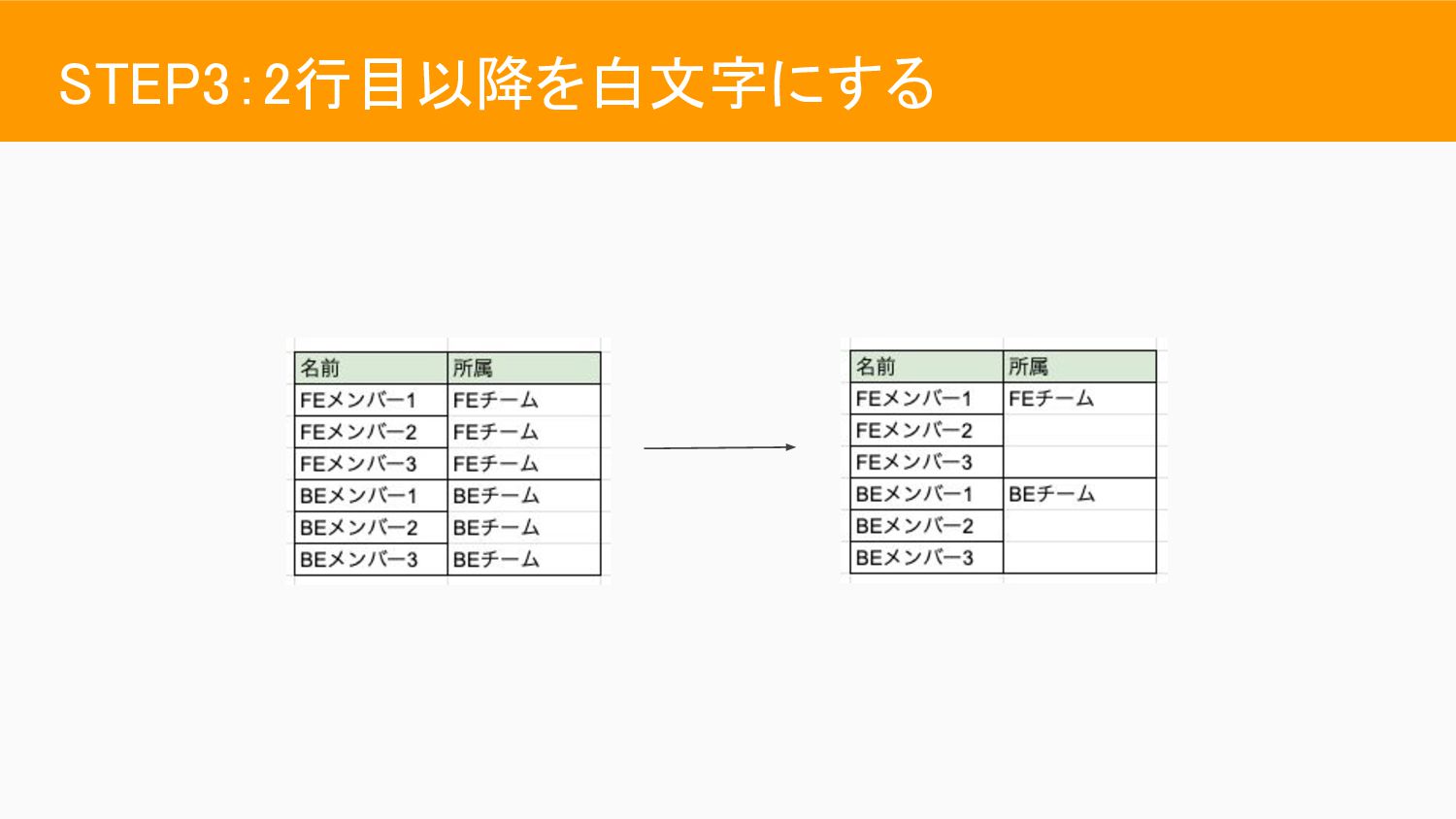
STEP3:2行目以降を白文字にする
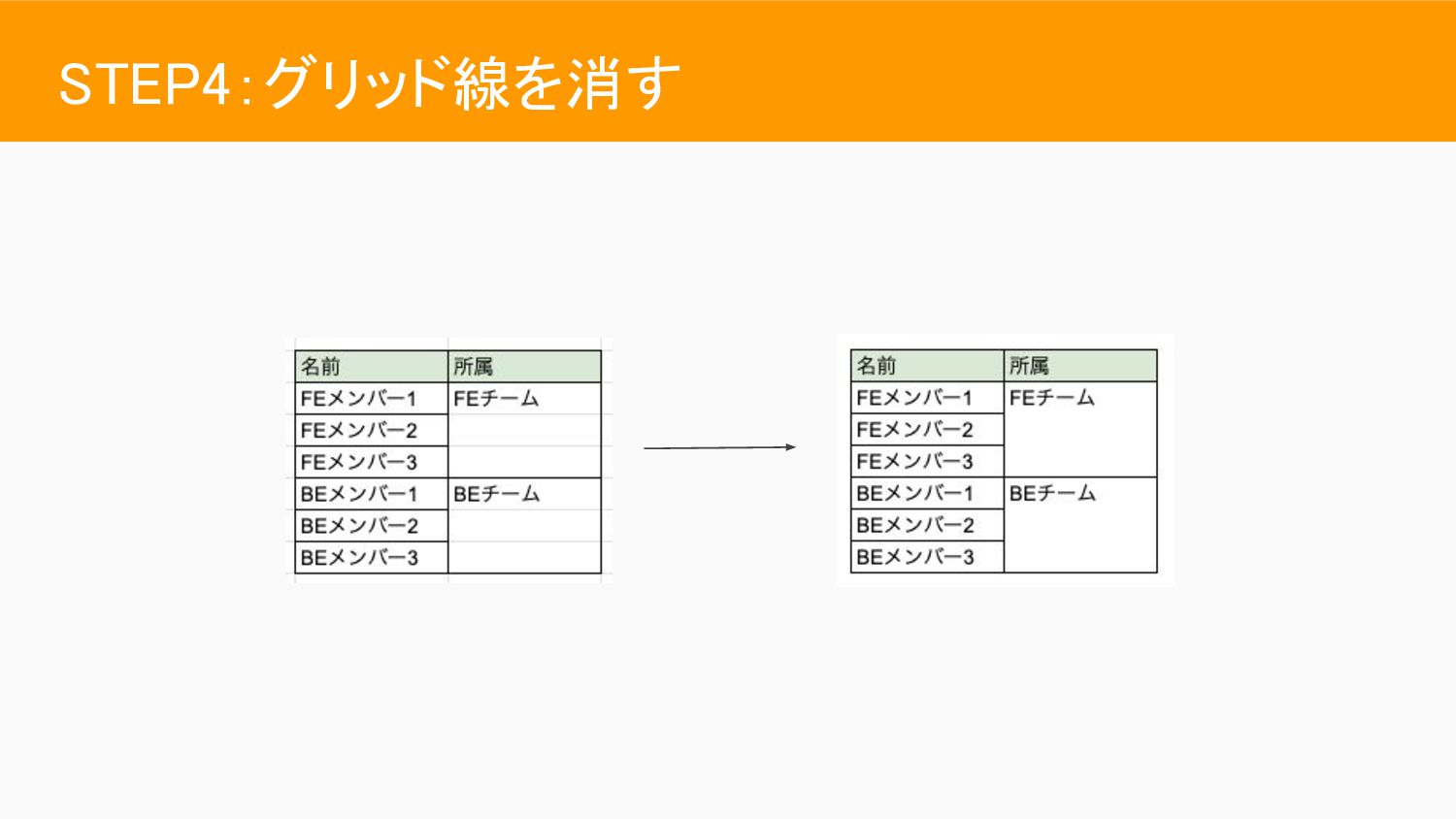
STEP4:グリッド線を消す
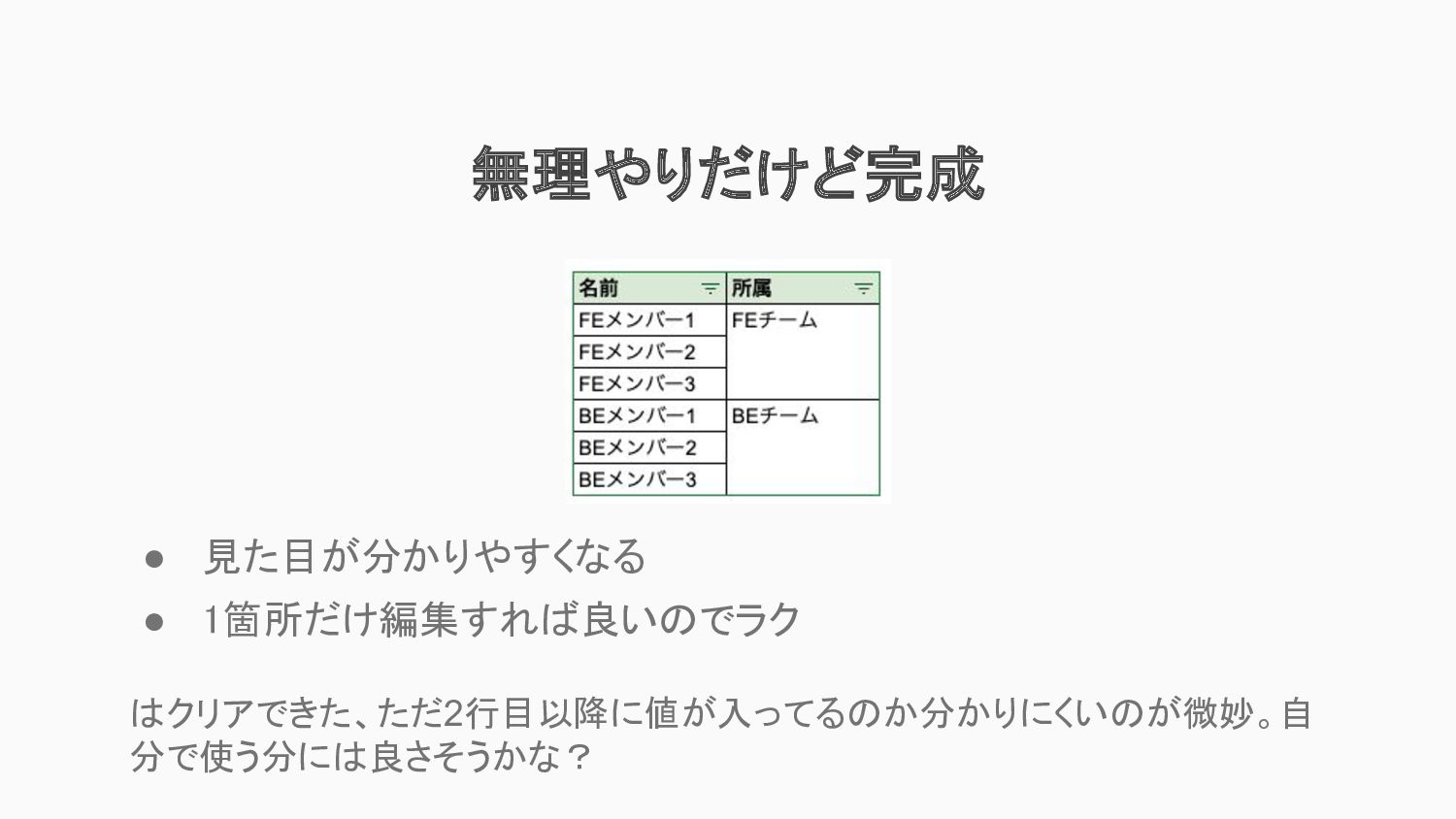
無理やりだけど完成 • 見た目が分かりやすくなる • 1箇所だけ編集すれば良いのでラク はクリアできた、ただ2行目以降に値が入ってるのか分かりにくいのが微妙。自 分で使う分には良さそうかな?
実用例デモ
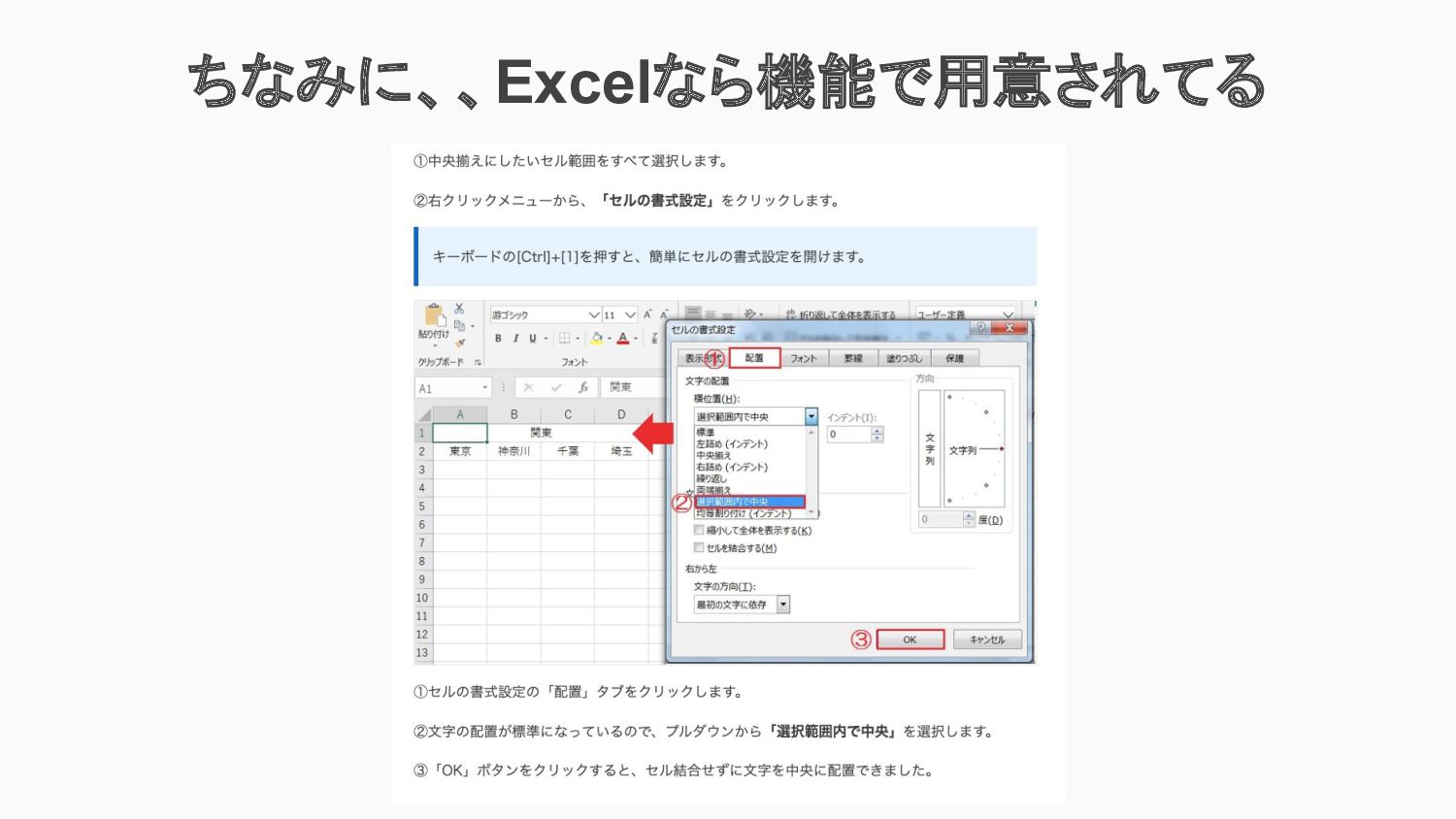
ちなみに、、Excelなら機能で用意されてる
結論:スプシつらい


 rakus_fe
 aarron
.png) helenjbeal
helenjbeal
 raygrieselhuber
 takai
takai
 frankvandijk
 speakerdeck
 aleyda
 auna
auna
 tammyeverts
 tamaranovitovic
 philnash
 addyosmani